Web Applications
Custom platforms, portals and dashboards shaped around your workflow.
Software built around how your business actually works
A website presents your business. A web application runs part of it. When bookings, enquiries, customer accounts or internal processes start living in spreadsheets, inboxes and phone notes, a custom web application can bring them into one place that your team and your customers use through a browser.
I design and build web applications around your real processes: what your customers need to do on their own, what your team needs to see and manage, and which repetitive steps can be handled by the system instead of by people.
What a web application can do for your business
Online booking
Customers check availability and book on their own, at any time of day.
Admin dashboard
One place for your team to see and manage bookings, content or requests.
Self-service accounts
Users log in, submit, track and update their own information.
Less manual work
Repetitive steps move from email and spreadsheets into the system.
When do you need a web application instead of a website?
A website is the right choice when your main goal is to present your services and get enquiries. A web application makes sense when people need to do something: book a slot, log in to an account, submit content, manage records or follow a process with several steps.
Typical signs: the same information is retyped in several places, availability is checked by phone, customers wait for someone to reply before they can act, or your team works across tools that do not talk to each other.
Custom booking systems
A booking system lets customers see what is available and reserve it online, while your team keeps control of the calendar. Depending on the business, that can mean vehicles, rooms, appointments, equipment or time slots.
What a booking system includes is decided per project: for example availability rules, pricing, blocked dates, booking statuses and an admin view of all reservations. Not every system needs every feature, and it is better to start with what your process really requires.
Admin dashboards for day-to-day operations
An admin dashboard is where your team works with the data the application collects. Instead of searching through emails, you see bookings, submissions or customer records in one structured view, filter them and update their status.
A good dashboard is built for the people who use it every day: clear lists, the information they need first, and only the actions that match their role.
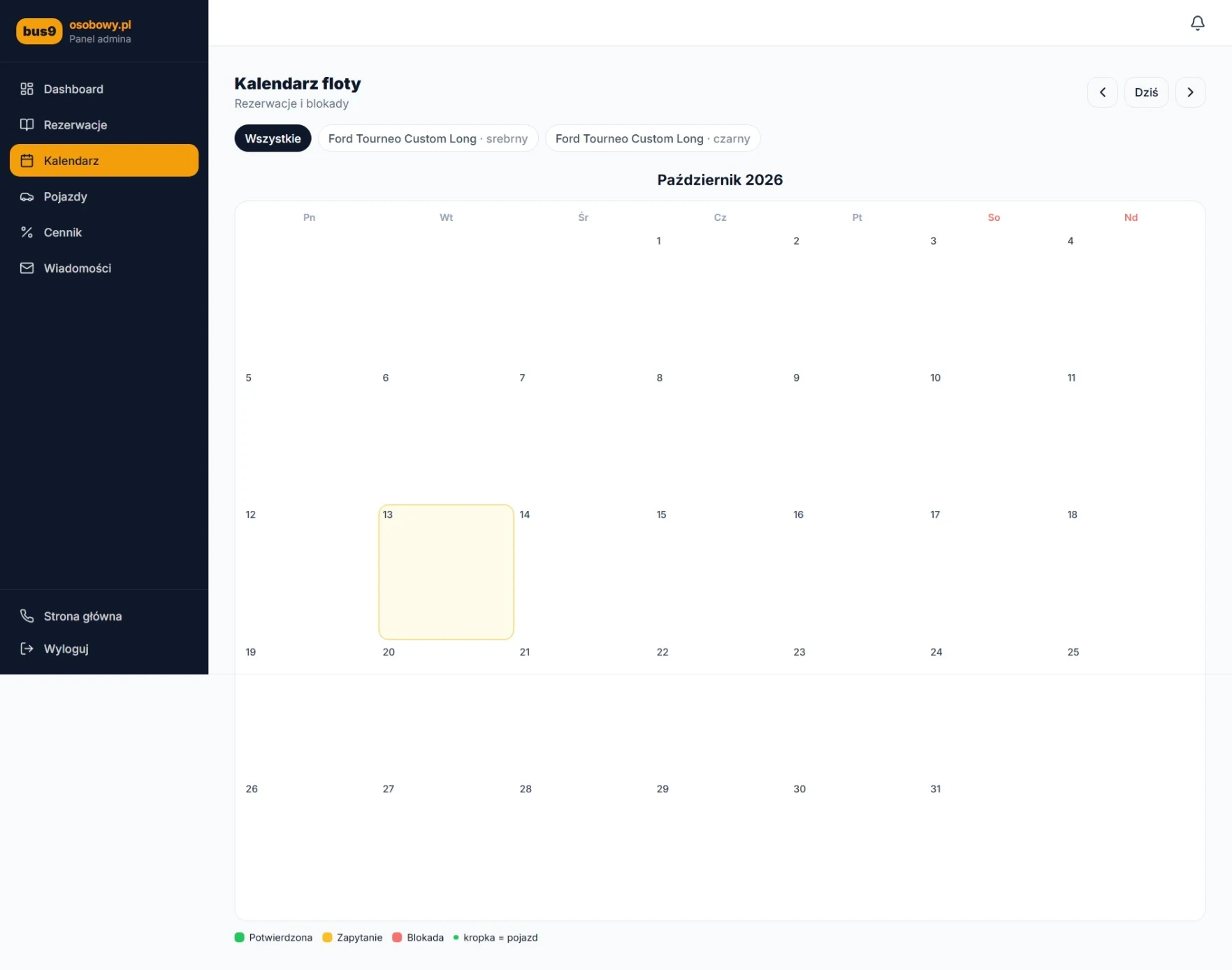
Example: the Bus9osobowy.pl fleet calendar
Bus9osobowy.pl is a 9-seat minibus rental service. Its admin panel includes a fleet calendar where reservations and blocked dates are shown per vehicle, alongside sections for bookings, vehicles, pricing and messages. The rental team manages availability from one place instead of tracking it by hand.
How a booking moves through Bus9osobowy.pl
- 1
Customer checks availability
The customer looks for free dates online.
- 2
Selects vehicle
The customer chooses the minibus that fits the trip.
- 3
Completes booking
The customer submits the booking details through the website.
- 4
Admin manages reservations
The team reviews and manages bookings in the admin panel.
This shows the main steps of this specific project. Each booking system is planned around its own process.
Self-service platforms and client portals
A self-service platform gives users their own account where they can act without waiting for you: submit content or requests, check the status of what they sent and keep their details up to date. Your team then reviews and approves through its own tools.
This works well when many people send you similar things, such as articles, applications, documents or orders, and each one needs to go through the same review steps.
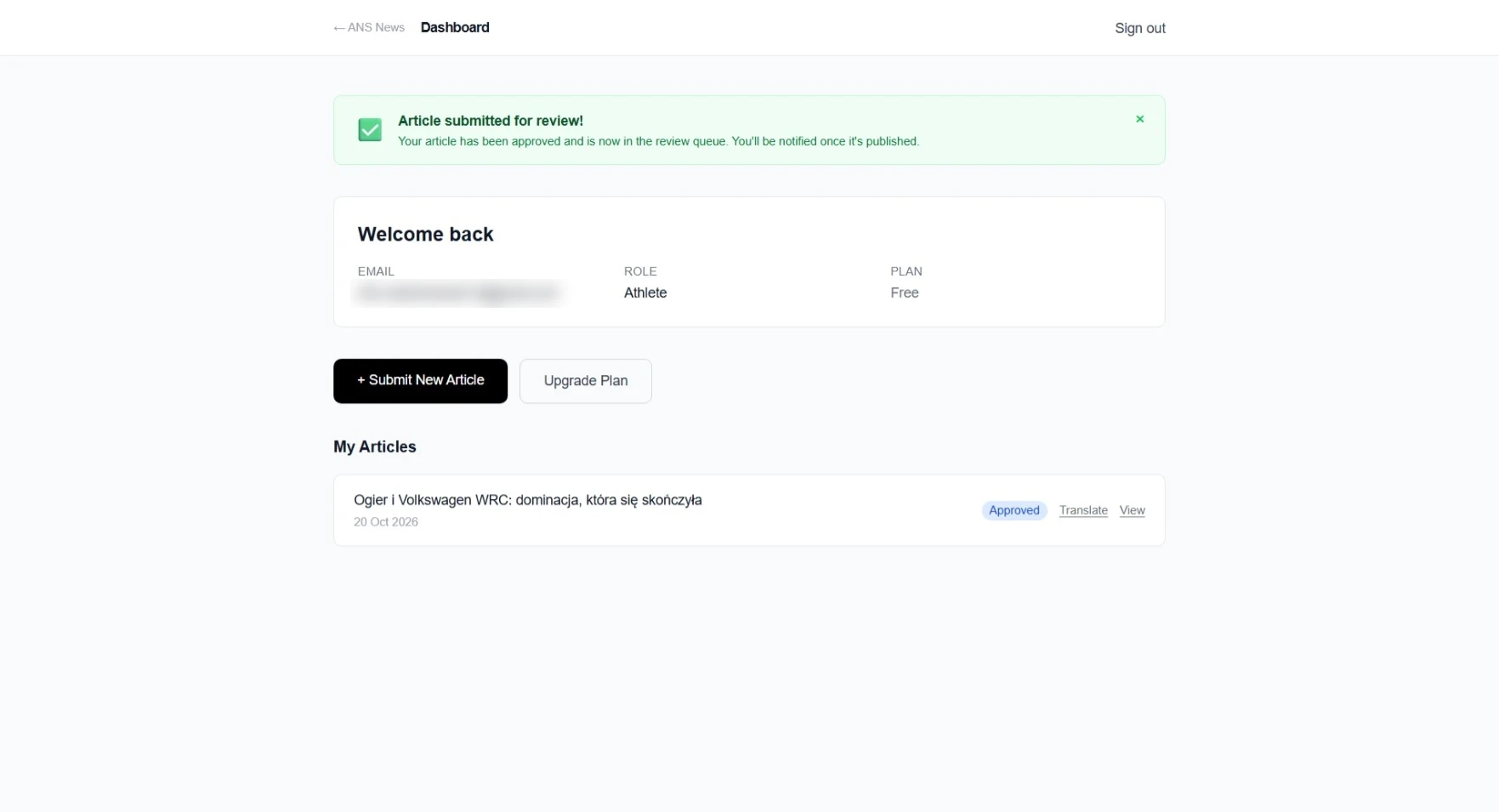
Example: the ANS News user dashboard
ANS News is a press-release publishing platform for athletes and businesses, where registered users submit their own articles. From their dashboard, users start a new article, see the articles they have sent and their status, and can open or translate them. Submitted articles go into a review queue before publication.
Reducing repetitive manual work
Many small tasks repeat every day: copying details from an email into a calendar, answering the same availability question, chasing missing information or moving a request to the next person. A web application can collect the right information up front, keep it in one place and show each person what needs their attention.
The goal is not to automate everything, but to remove the steps that do not need a human decision.
What determines cost and timeline
Cost and timeline depend mainly on scope: how many user types there are, how many screens and steps, which rules the system must follow, and whether it needs to connect to other tools such as payments, email or existing databases. Clear requirements at the start make both easier to estimate.
A practical approach is to begin with the core process, launch it, and add further features once it is used in real work.
Hosting, maintenance and security after launch
A web application keeps running after launch, so it needs ongoing care: hosting, backups, updates to the libraries it depends on, and attention to who can access which data. Applications that store personal information also come with data-protection responsibilities.
Before development starts, we agree who is responsible for each of these and what ongoing support looks like, so nothing is left unclear after launch.
Frequently asked questions
How much does a custom web application cost?
It depends on scope: the number of user types, screens, business rules and integrations. After a short conversation about your process I prepare a quote for the agreed scope, so you know the cost before work starts.
How long does it take to build a web application?
Timelines depend on scope and on how quickly decisions and content are available. I give a realistic estimate once the scope is clear, and larger projects can be delivered in stages starting with the core process.
Do I need a web application or a website?
If people mainly need to read about your services and contact you, a website is usually enough. If they need to log in, book, submit or manage something, or your team needs to manage records, a web application is the better fit. Many projects combine both.
Can the application be changed or extended after launch?
Yes. Applications are built so new features can be added later. Changes are planned and quoted as separate pieces of work.
Who looks after hosting, updates and security?
This is agreed before development starts. I can provide ongoing support, or hand over to your own team, with clear responsibilities for hosting, backups, updates and access control.
Can it connect to the tools we already use?
Often, yes, if those tools offer a way to connect, such as an API. This is checked during planning, because it affects both scope and cost.
Have a process that could run in a web application?
Tell me how it works today, and I will suggest a practical first version.
Discuss your projectRelated case studies
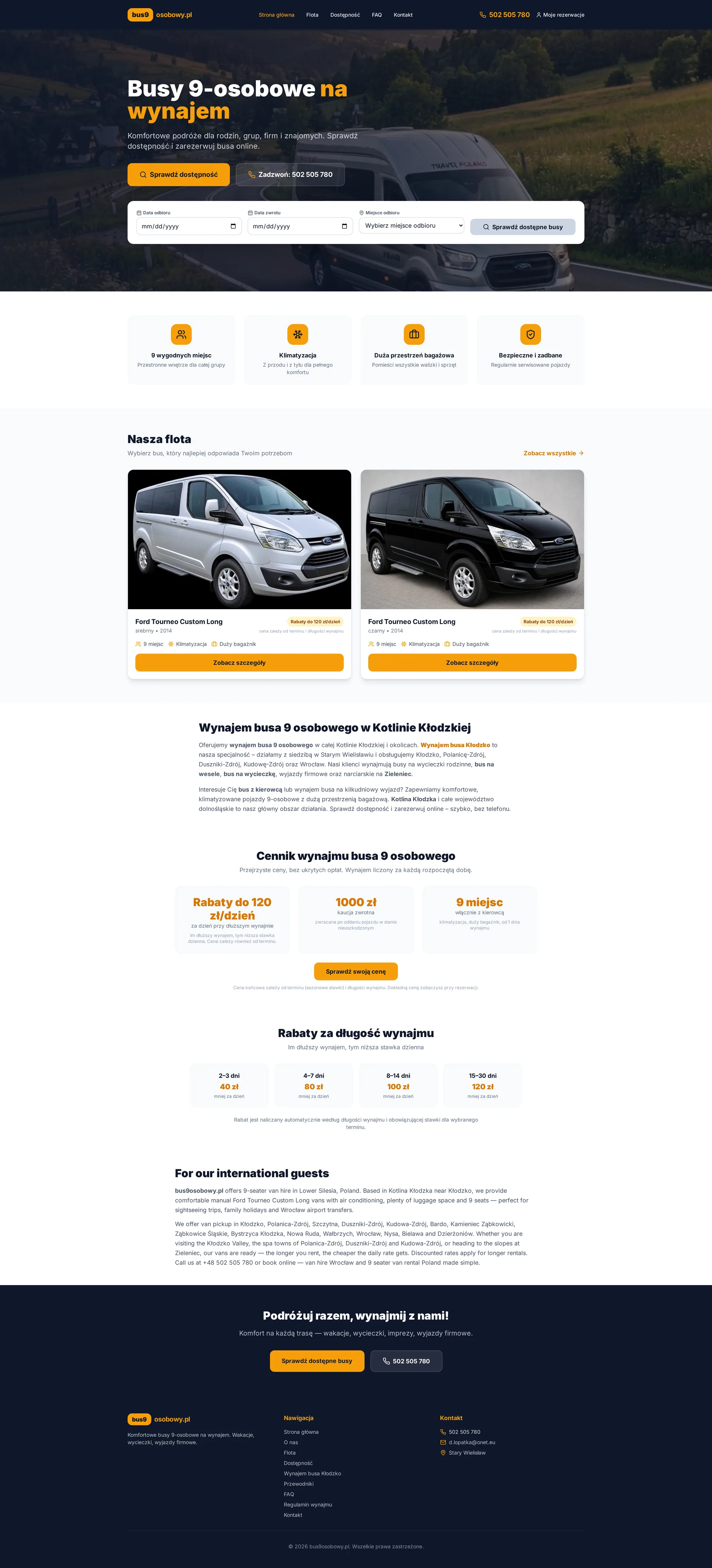
9-seater minibus rental platform
Bus9osobowy.pl
A modern website and booking system for a local 9-seater minibus rental business. The project includes a public-facing marketing site, availability search, vehicle selection, dynamic pricing, booking flow and an admin panel for fleet, calendar and pricing management.
- Responsive Design
- Mobile-first
- Local SEO
- Availability Search
- Fleet Presentation
- Online Booking
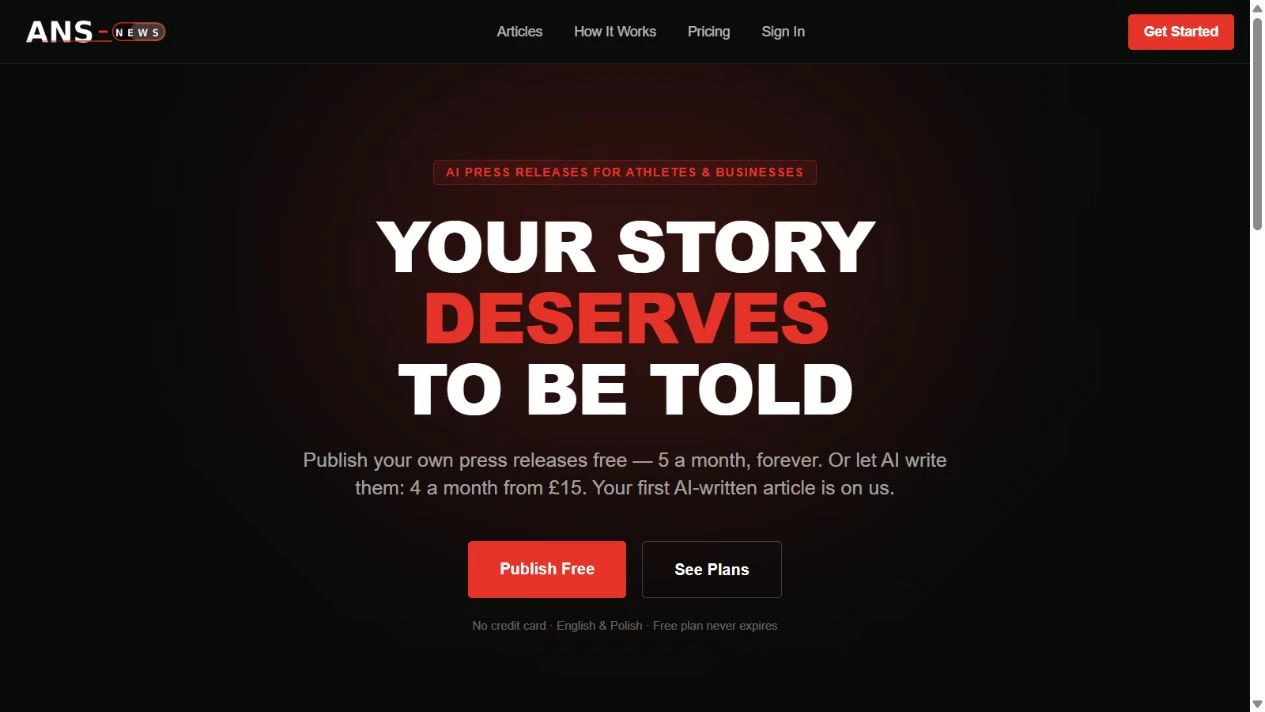
AI publishing platform
ANS News
A press-release publishing platform for athletes and businesses, combining public articles, AI-assisted writing, and a user dashboard for self-service publishing.
- AI Publishing
- Landing Page
- Conversion-focused
- Product Flow
- User Education
- Clear Messaging
Let's talk about your project
Tell me what you need and I'll come back with an honest next step.
Start a project